
Category: WordPress • Est. reading time: 2 minutes
Your theme controls how your site looks. Installing a new one is quick, whether you are picking from the free directory or uploading a premium theme you bought.
From the Theme Directory
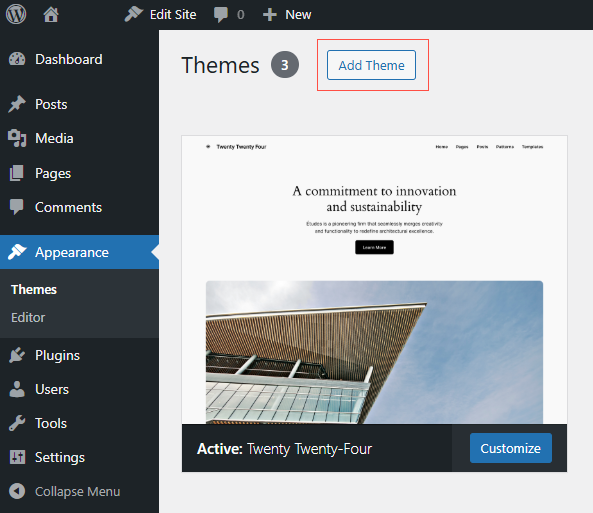
- Go to Appearance, then Themes, and click Add New Theme.
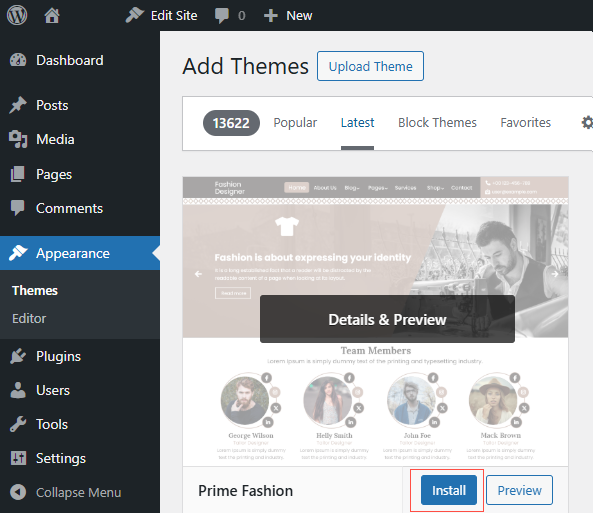
- Browse or search, hover over one you like, and click Install.
- Once it installs, click Activate to make it live.
Uploading a Premium Theme
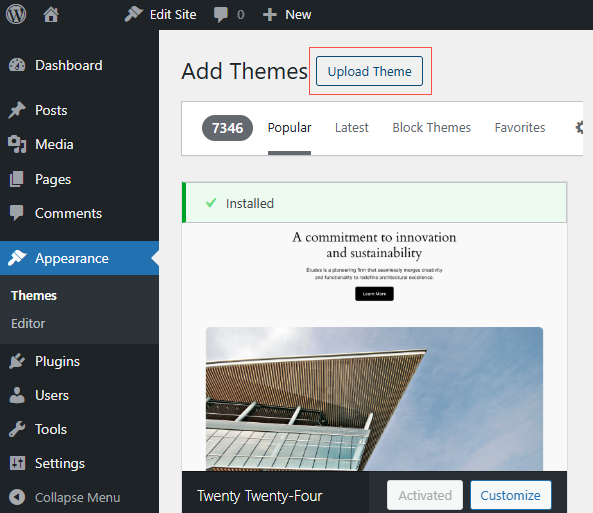
- On the Add Themes screen, click Upload Theme.
- Choose the theme’s zip file and click Install Now, then Activate.
Switch themes with care on a live site. A new theme can change your layout and menus. Preview it first with the Live Preview option, and if possible test on a staging copy before you activate it on your real site.
Need a Hand?
Choosing or customizing a theme is what we do. Learn with us at allydrez.com/learn-how-to-use-wordpress, or reach us at support@allydrez.com or 1-321-209-2004.