
Category: Databases • Est. reading time: 1 minute
Exporting saves a copy of your data to a file. You can export a whole database or just one table, which is handy when you only need to grab or move a single piece.
The Steps
1. Log in to your cPanel account, and open phpMyAdmin and select your database on the left.
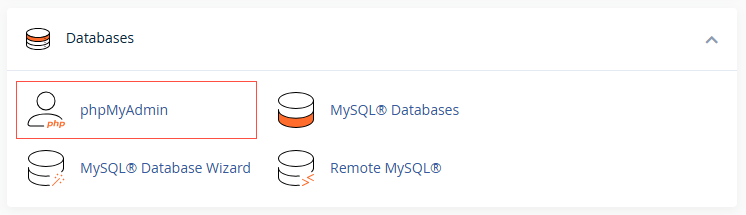
2. To export one table, click that table first. To export everything, stay on the database view.
3. Click the Export tab.
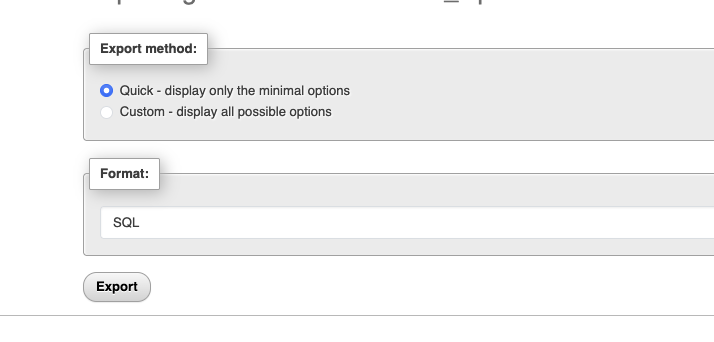
4. Leave Quick and SQL selected for a standard backup, or choose Custom for more control, then click Export.
6. Select SQL format and then click on the Go button.
Tip: the SQL format is the right choice for backups and moving data between servers. Choose CSV only if you specifically need the data in a spreadsheet.
Need help moving data around? Reach us at support@allydrez.com or 1-321-209-2004.