
Category: FTP & File Transfer • Est. reading time: 2 minutes
When an FTP account is no longer needed, remove it. Fewer active logins means fewer ways in for anyone who should not have access.
The Steps
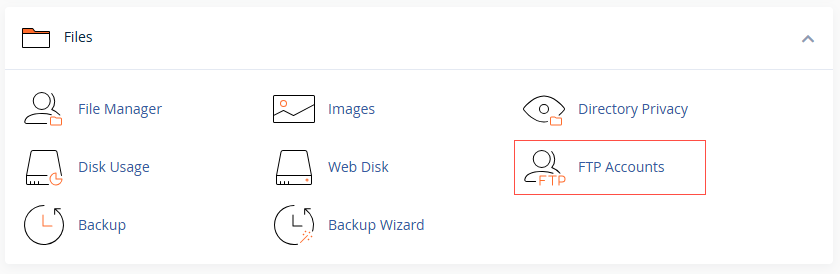
1. Log in to cPanel and open FTP Accounts.
2. Find the account and click Delete under Actions
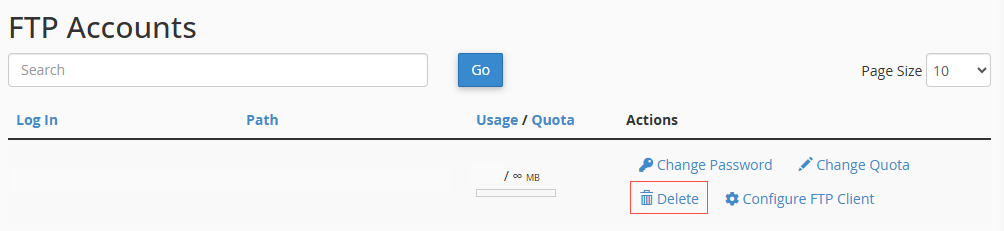
3. Choose how far to go: Delete Account removes the login but keeps the files, while Delete Account and Files removes both..
4. Confirm your choice.
Read that step twice: if you pick Delete Account and Files, the files are gone for good. If there is any chance you need them, choose Delete Account only, or download a copy first.
Cleaning up old access and want a hand? Reach us at support@allydrez.com or 1-321-209-2004.