
Category: FTP & File Transfer • Est. reading time: 2 minutes
An FTP quota sets how much space that account is allowed to use. Raising it gives someone more room; lowering it keeps a shared server from filling up. You can also set it to unlimited.
The Steps
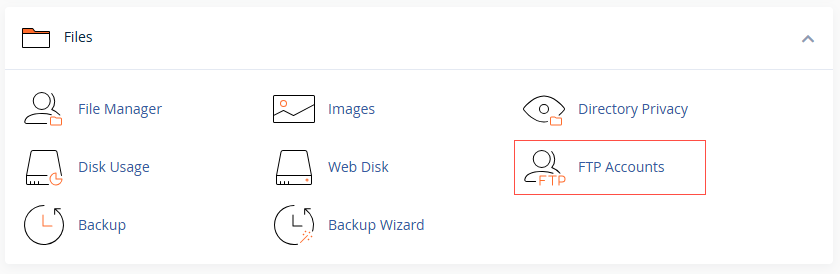
1. Log in to cPanel and open FTP Accounts.
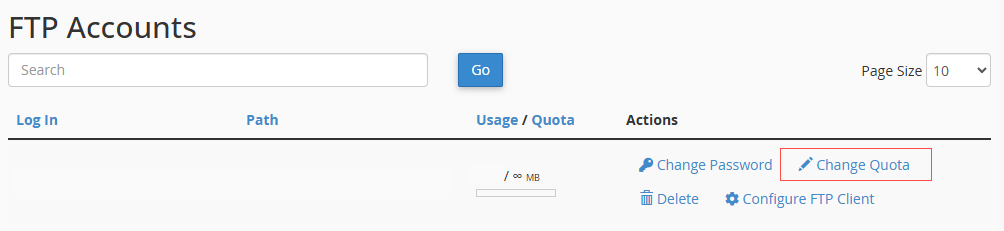
2. Find the account and click Change Quota under Actions.
3. Enter a limit in megabytes, or choose Unlimited (we don’t recommend unlimited).
4. Click Change Quota to save.
Note: the FTP quota is capped by your overall hosting storage. Unlimited here still means limited by the space your plan includes.
Running low on space? We can help you right-size your hosting. Reach us at support@allydrez.com or 1-321-209-2004.