
Category: Domains & DNS • Est. reading time: 1 minute
When a subdomain has served its purpose, removing it keeps your account tidy and closes off a page you no longer want reachable.
The Steps
1. Log in to cPanel and open Domains (or Subdomains on older versions) to your cPanel account.
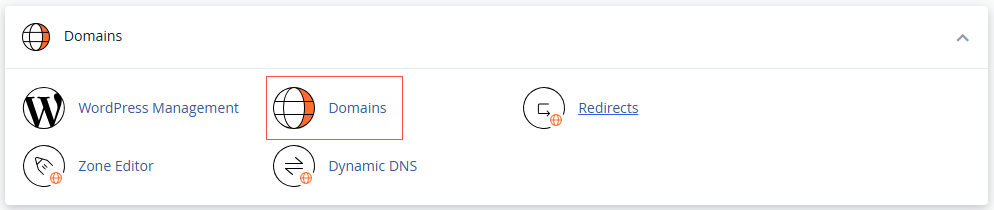
2. Find the subdomain in the list.
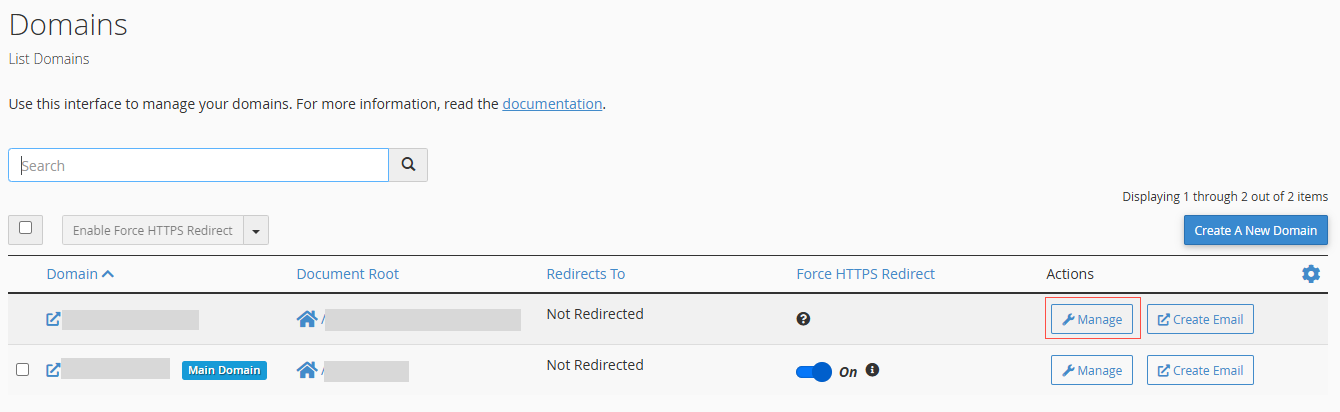
3. Click Remove or Manage.
4. Then remove it, and confirm.
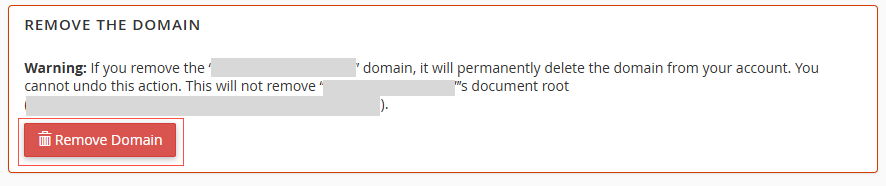

Note on files: removing a subdomain stops it from loading, but its files may still sit in their folder on your server. If you want the space back, delete that folder in File Manager once you are sure you no longer need its contents.
Not sure what is safe to remove? Ask us first. Reach us at support@allydrez.com or 1-321-209-2004.