
Category: WordPress • Est. reading time: 2 minutes
Old themes you are not using still need updates and still take up space, so clearing out the ones you do not need is smart. You cannot delete the theme your site is currently using, so if that is the one you want gone, activate a different theme first.
The Steps
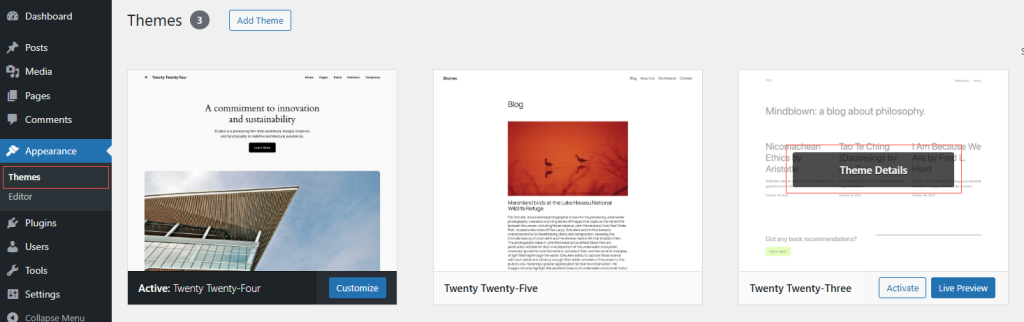
- Log in and go to Appearance, then Themes.
- Click the theme you want to remove to open its details.
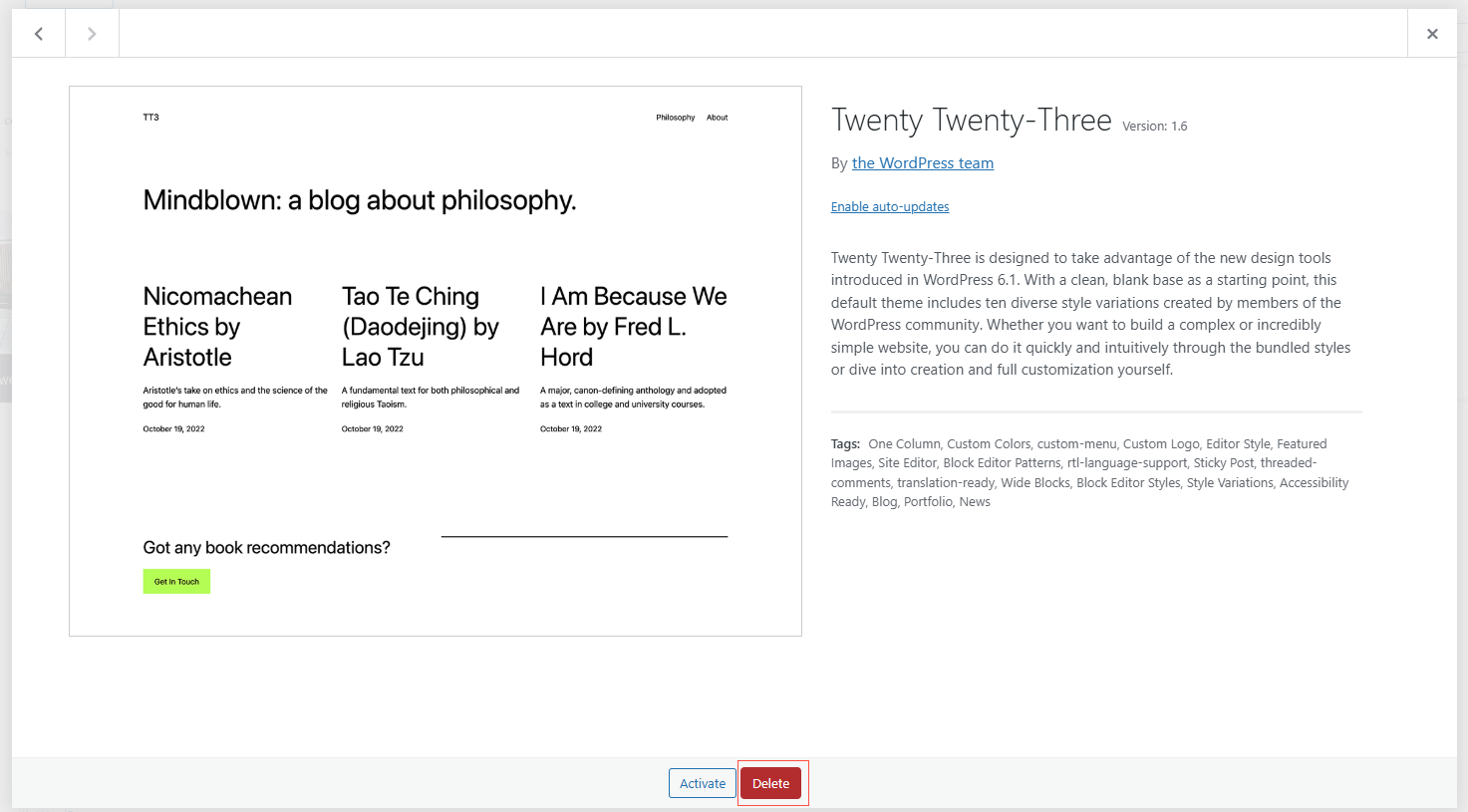
- In the bottom-right corner of that window, click Delete.
- Confirm, and the theme is gone.
Our recommendation: keep one recent default theme installed even if you do not use it. If your active theme ever runs into trouble, WordPress can fall back to it, which keeps your site from going dark.
Need a Hand?
We teach WordPress live and one-on-one at allydrez.com/learn-how-to-use-wordpress, or we will manage your site for you. Reach us at support@allydrez.com or 1-321-209-2004.