
Category: WordPress • Est. reading time: 2 minutes
Every new WordPress site arrives with a bit of placeholder content: a “Hello world!” post, a sample page, and a sample comment. It is there to show you how things look, but you will want it gone before you launch. Here is the quick sweep.
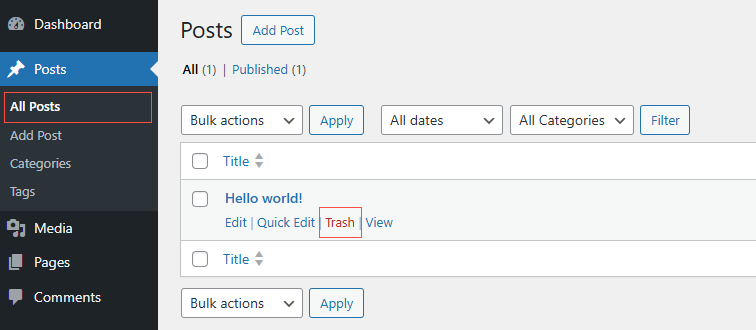
Delete the Sample Post
- Go to Posts, then All Posts.
- Hover over Hello world! and click Trash.
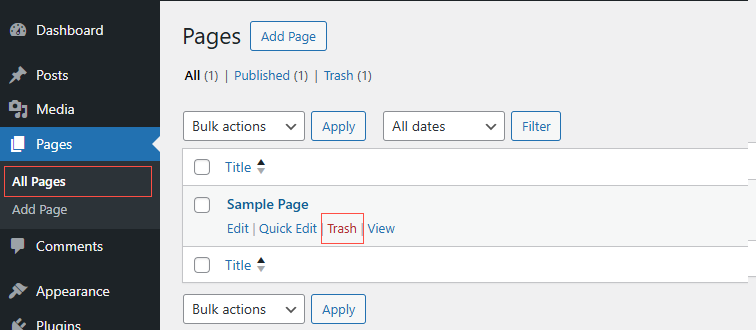
Delete the Sample Page
- Go to Pages, then All Pages.
- Hover over Sample Page and click Trash.
Delete the Sample Comment
- Go to Comments.
- Hover over the default “A WordPress Commenter” comment and click Trash.
One more housekeeping tip: empty each Trash afterward so the placeholder content is fully cleared, and check your Settings so your real site title and tagline replace the defaults.
Need a Hand?
Our live, one-on-one classes walk you through setup from scratch. See allydrez.com/learn-how-to-use-wordpress, or reach us at support@allydrez.com or 1-321-209-2004.