
Category: Databases • Est. reading time: 1 minute
Creating a database and creating a user are two separate steps. This is the one that connects them, telling cPanel that a particular user is allowed to manage a particular database. Without it, your website cannot talk to its data.
1. Log in to cPanel and open MySQL Databases.
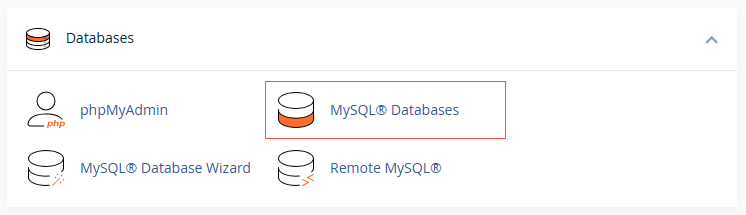
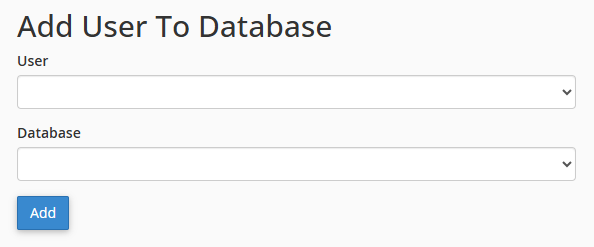
2. Scroll to Add User To Database.
3. Choose the User and the Database from the dropdowns, then click Add.
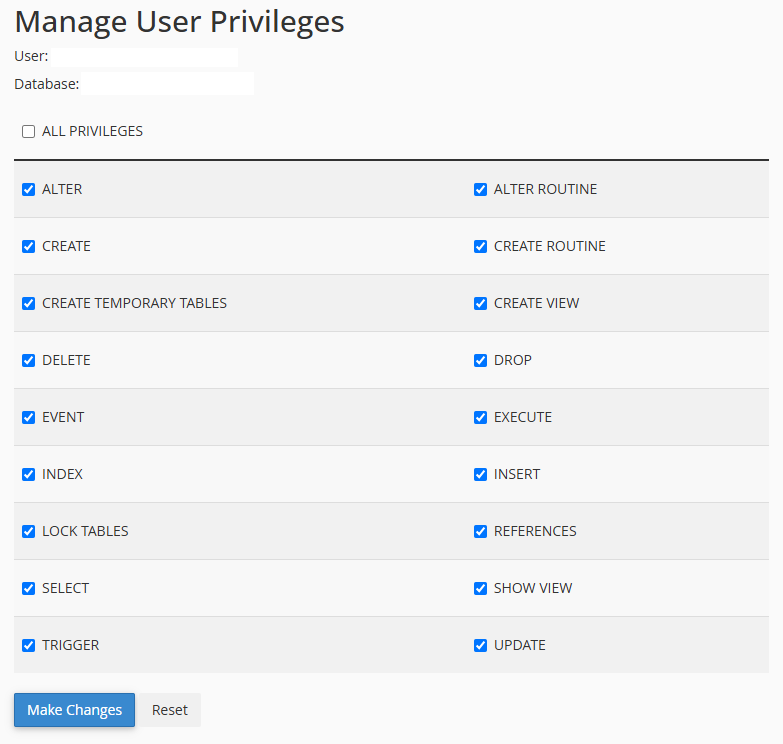
3. On the privileges screen, check All Privileges for a standard website setup, then click Make Changes.
4. Click on the Add button.
Why All Privileges? Most site software needs to read, write, and update its own tables, so full privileges on its own database is normal and safe. It only affects that one database, not your whole account.
Stuck connecting a site to its database? Reach us at support@allydrez.com or 1-321-209-2004.