
Category: FTP & File Transfer • Est. reading time: 2 minutes
Changing an FTP password is good housekeeping, whether you are rotating credentials on a schedule or cutting off access after someone moves on.
The Steps
1. Log in to cPanel and open FTP Accounts in the Files section.
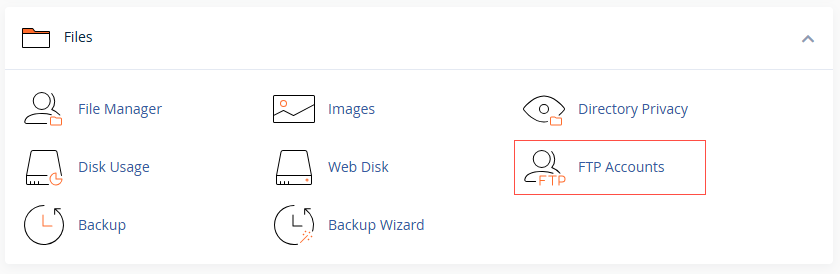
2. Find the account in the list of FTP Accounts.
3. Click Change Password (under Actions) next to that account.
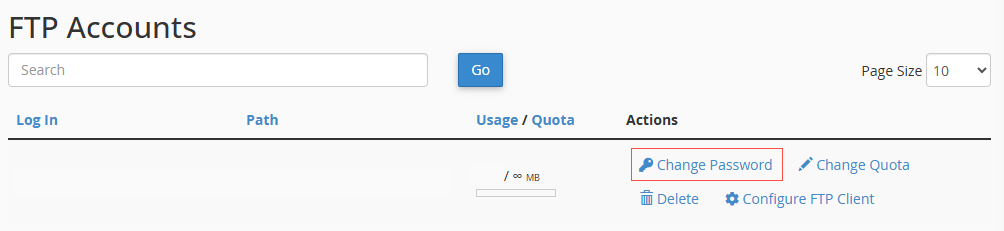
4. Enter a strong new password, or use the generator, and click Change Password.
Worth doing: if a contractor or former team member had FTP access, change the password or delete the account the moment they are done. Old logins are a common way sites get compromised.
Want us to audit who has access to your server? Reach us at support@allydrez.com or 1-321-209-2004.