
Category: Domains & DNS • Est. reading time: 3 minutes
A redirect sends anyone who visits one web address straight to another. It is how you move a page to a new home without losing visitors, or send an old domain to your current one. cPanel makes setting one up simple.
1. Log in to your cPanel account..
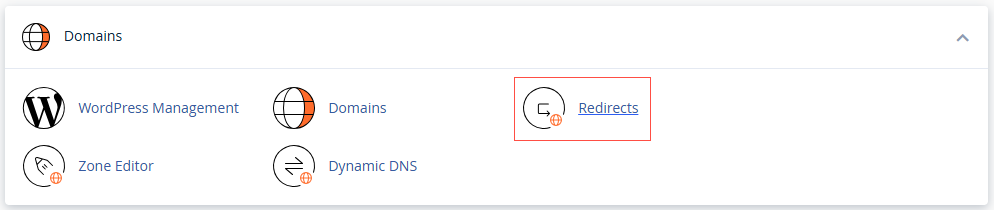
2. In the Domains section, click on Redirects.
3. Under Add Redirect.
4. Choose the redirect type. Permanent (301) is what you want almost every time, because it tells search engines the move is permanent and passes your ranking along.
5. Pick the domain to redirect, and add a specific folder or page if you only want part of it redirected.
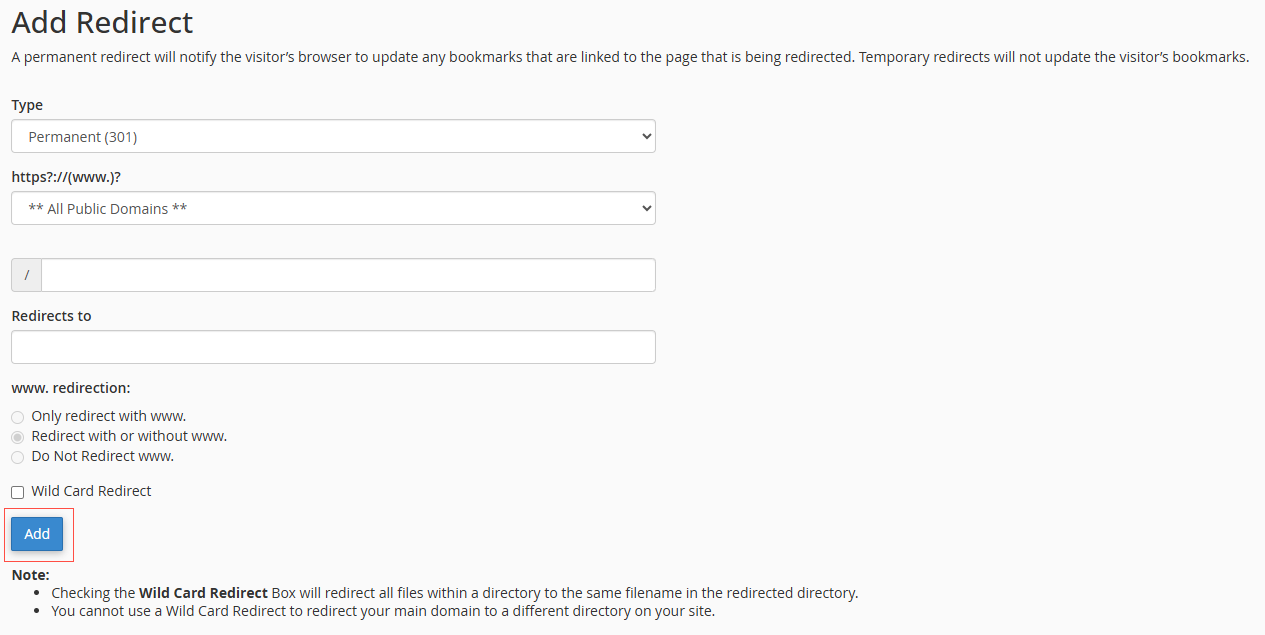
6. Enter the destination web address in the Redirects to field.
7. Click Add.
Choose 301, not 302, for permanent moves. A 301 protects your search rankings by passing them to the new address. A 302 is only for temporary redirects and does not.
Moving a site or a page and worried about SEO? This is our wheelhouse. Reach us at support@allydrez.com or 1-321-209-2004.