
Category: WordPress • Est. reading time: 2 minutes
Plugins are how WordPress grows new abilities, from contact forms to online stores. There are two ways to install one: from the free WordPress directory, right inside your dashboard, or by uploading a zip file, which is how premium plugins and anything from outside the directory get added. Here is both.
Install From the WordPress Directory
1. Log in to your WordPress dashboard.
2. In the left menu, hover over Plugins and click Add New Plugin. (On older versions this reads simply “Add New.”)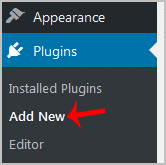
3. In the search box, type the name of the plugin you want, then press Enter.
4. Find it in the results and click Install Now next to its name.
5. After a few seconds the button changes to Activate. Click it to switch the plugin on.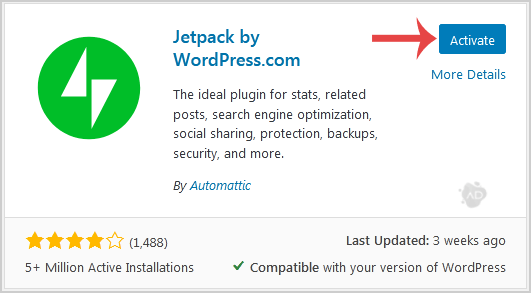
Upload a Plugin (Zip File)
Use this when the plugin is not in the directory, usually a premium plugin you bought and downloaded as a zip.
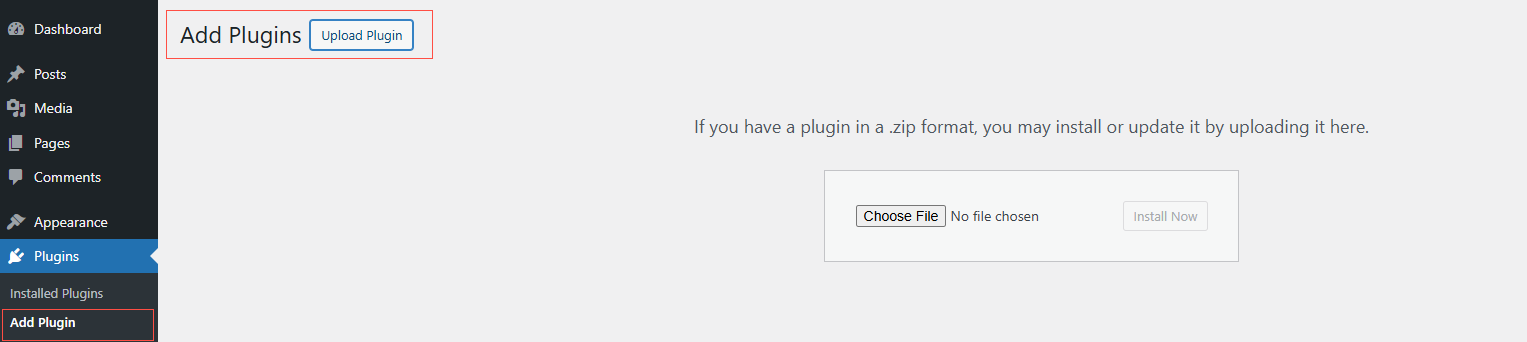
- Go to Plugins, then Add New Plugin.
- At the top of the screen, click Upload Plugin.
- Click Choose File, select the zip, and click Install Now. Leave it zipped; WordPress unpacks it for you.
- When it finishes, click Activate.
Uploading a Large Plugin Through Your Host
If a zip is too big for the dashboard uploader, place it on your server directly with cPanel’s File Manager or an FTP program: unzip the plugin and upload its folder into wp-content/plugins. Then return to the Plugins screen, where it will be waiting to activate.
A Couple of Cautions
Note: An activated plugin usually adds its own item to your dashboard menu. If it needs setup, WordPress will point you to it.
A word of caution: only install plugins from sources you trust, since a plugin has deep access to your site. Also, more plugins means more to maintain and more that can slow your site down. Install what you truly need, keep them updated, and remove what you do not use.
Need a Hand?
We teach WordPress live and one-on-one at allydrez.com/learn-how-to-use-wordpress, or we will manage your site for you. Reach us at support@allydrez.com or 1-321-209-2004.